On This Page
Remote options
Keep this simple. For small-form-factor remotes there are basically two useful options. If you do not care about size, any normal keyboard and trackpad combo will work.
| Device | Software | Pros | Cons |
|---|---|---|---|
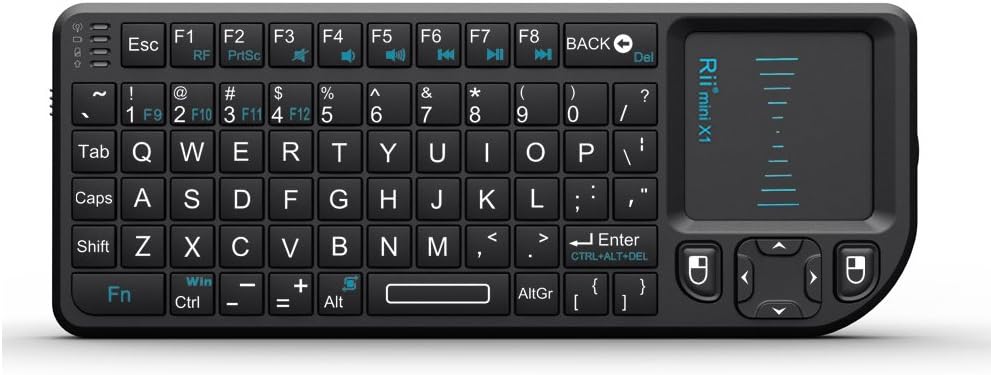
Mini wireless keyboard / trackpad combo
|
None needed | Cheap, small, and self-contained. | Bad trackpad. No microphone. |
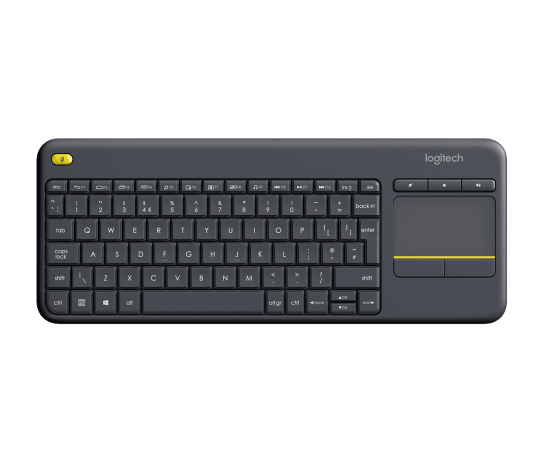
Large wireless keyboard / trackpad combo
|
None needed | Decent trackpad. | Large, no microphone. |
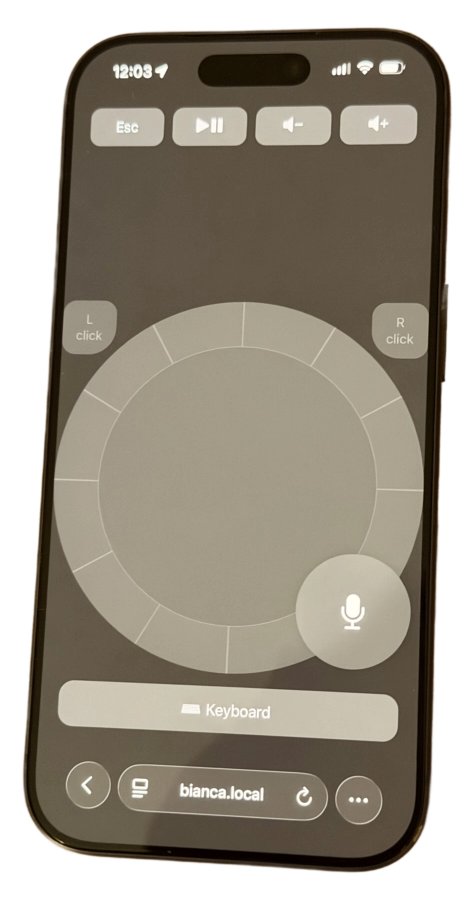
Smartphone
|
VNC or other apps
|
Good trackpad support. | Cumbersome to open app every time. |
| Perfect form factor & trackpad. | Needs GoatRemote for voice controls. |
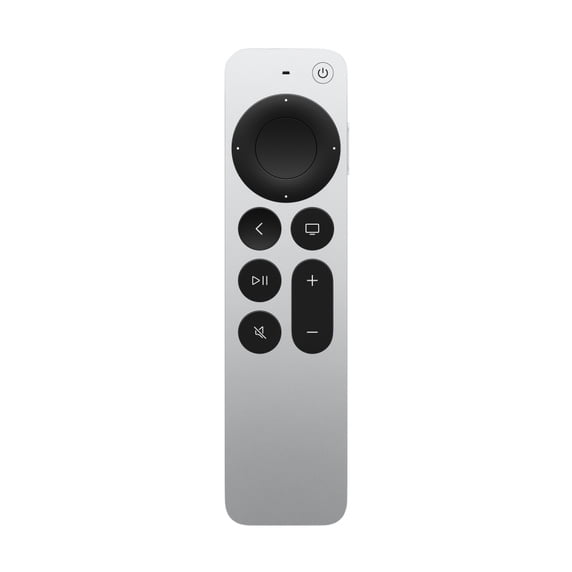
Power on/off behavior
All of the options above run into the same issue: keeping the Mac and TV screen power states in sync. If you are lucky, the TV will turn on when the Mac wakes and turn off when the Mac sleeps. If that works reliably, you are done.
- HDMI-CEC is what usually makes this work automatically.
- When CEC behaves, the setup feels appliance-like: wake the Mac, and the TV follows.
- TV brands rename CEC, so look for names like Anynet+, Bravia Sync, Simplink, VIERA Link, or just HDMI-CEC in the TV settings.
If that does not work, or if the TV periodically wakes the Mac and turns itself on randomly, the usual fix is to disable HDMI-CEC on the TV side.
- CEC quality varies a lot by TV brand and firmware, and some TVs treat small HDMI events as a reason to wake.
- Disabling CEC usually stops the random power-on loop, but it may cause the TV to show a "no connection" style message when the Mac display is off.
- Once CEC is off, separate Mac sleep from TV power and use one of the two fallback options below.
If CEC causes random wakeups, turning it off on the TV side is usually the more reliable tradeoff.
Once CEC is disabled, treat TV power as its own system instead of trying to make it follow Mac sleep. That is usually more reliable.
- Use GoatRemote custom power commands. Map the GoatRemote power button to TV-specific commands so the app can explicitly turn the display on or off. For Samsung Frame setups, LAN wake has worked well for turning the TV on without relying on CEC.
I have a Samsung Frame TV, and I use the samsung-frame-mac app to bind keyboard shortcuts for TV on and off. In GoatRemote, I map a long press on the power button to those same power actions. I also had to disable the Frame's Art Mode for this setup to work well.
- Keep the TV remote around. This is the simplest fallback. Let GoatRemote handle navigation, browsing, playback, and voice work, and use the built-in TV remote only for raw power when needed.
If CEC is stable in your room, keep it. If it causes random wakeups, disable it and use a separate power method. Reliability matters more than automation here.
If you want the Mac to stay available for remote use or casting, letting the display sleep is often better than letting the whole Mac sleep.
Airplay casting
A Mac on the TV gets much better once it also behaves like a proper AirPlay destination. Turn on AirPlay Receiver, then remove the last bit of friction so casting does not require somebody to approve a prompt on the Mac.
The auto-accept-airplay-requests-with-vol app is especially good for this because it solves two problems at once: it auto-accepts incoming AirPlay requests, and it snaps volume to a known default level whenever a cast begins.
- Enable AirPlay Receiver on the Mac so the machine can act like a living-room target for music and video.
- If you want casting to feel instant, use auto-accept so every request does not stop on a confirmation dialog at the Mac.
- The app also resets volume to a known default whenever someone starts casting, which fixes one of the most annoying volume problems.
- If the Mac is allowed to sleep, AirPlay audio casting from phones and similar devices usually will not work unless the Mac is already awake or you wake it first.
- If AirPlay matters in this setup, it really helps to keep the Mac awake so it stays available as a casting target.
This makes the setup much more useful in practice. The TV can act as a music target, a video casting box, and still a full Mac whenever you want to use a normal website or app.